Kasten Disaster Recovery got a major upgrade! If you’re protecting Kubernetes workloads with Veeam Kasten, the new Quick DR modes make Disaster Recovery setup faster and more reliable than ever.
Veeam Kasten is never sitting still! While I occasionally have to take a break to perform other duties or rush to finish some new AI course, I inevitably wander back to my old stomping grounds, Kubernetes data protection and Kasten and once again I was not disappointed with the new Kasten Disaster Recovery procedure that I discovered.
This is not, however, some nostalgic journey to the past because Kasten is not sitting still. I don’t like using cliches, like things just keep getting better, but in this case: Things just keep getting better.
Today I will go over the new and improved Kasten Disaster Recovery procedure. Just like Veeam’s configuration backup, solid data protection setups need to back themselves up as well. If you are hit with a disaster like a ransomware attack you might just lose your backup software and as long as you are leveraging immutable storage you have to have a fast and efficient method to get your backup software back up and running which in turn will allow you to restore all of your workloads.
Prerequisites
- Kasten K10 installed and configured
- S3-compatible storage with immutability support
- Location Profile configured and validated
- Admin access to Kasten dashboard
Location Profile
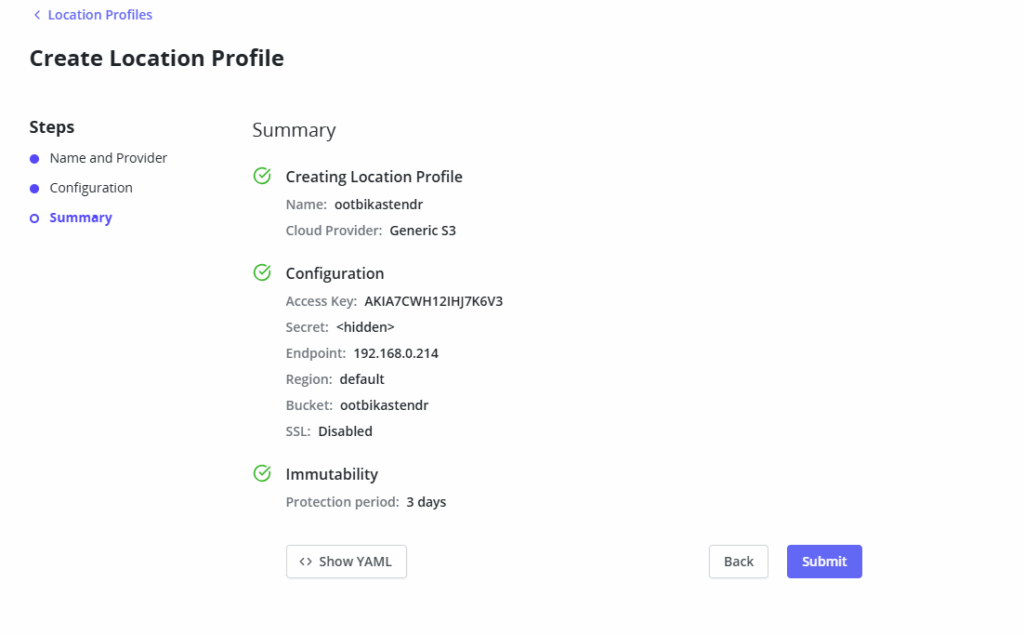
To setup Kasten DR you will need to have Location profile in place. There is no point in backing up your Kasten to the local Kubernetes cluster. Just like with your other workloads you need to back them up.
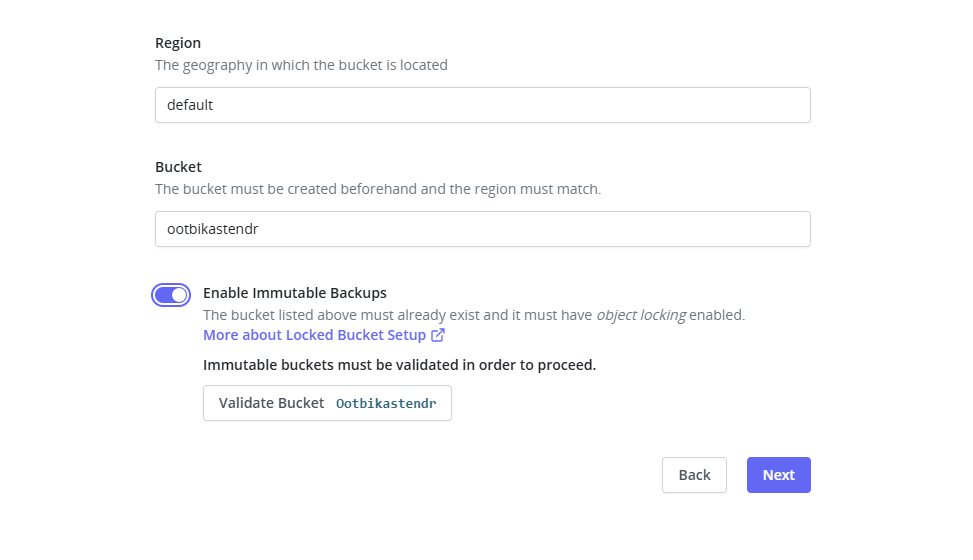
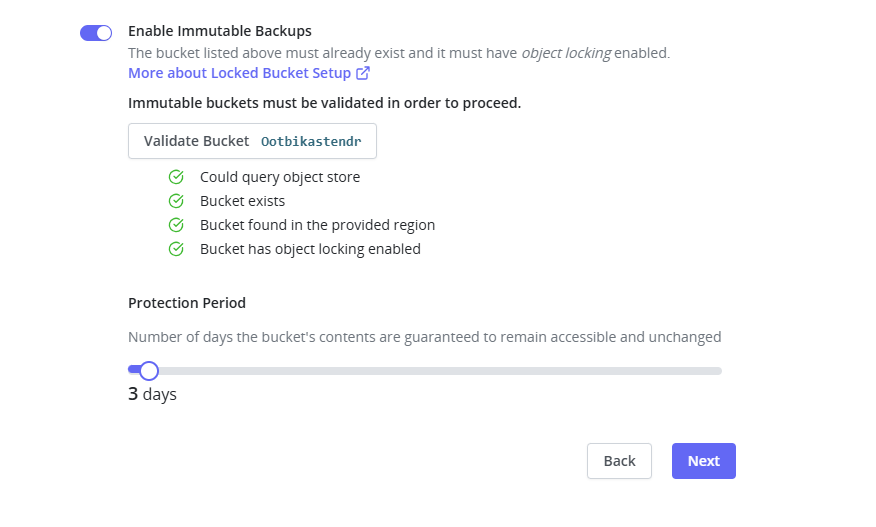
I have created an immutable bucket on my local Object First Ootbi appliance to which I will target my Kasten DR backups.
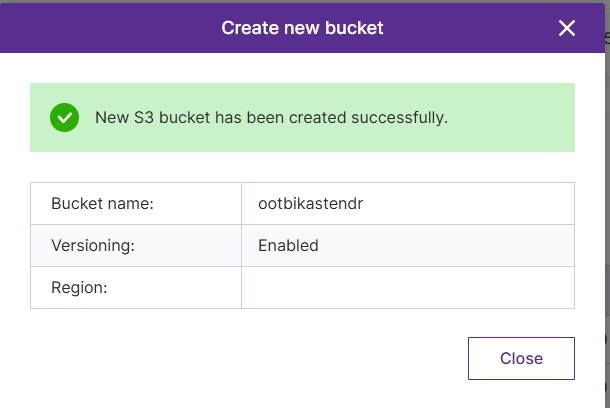
Step 1: Configure your S3-compatible storage endpoint
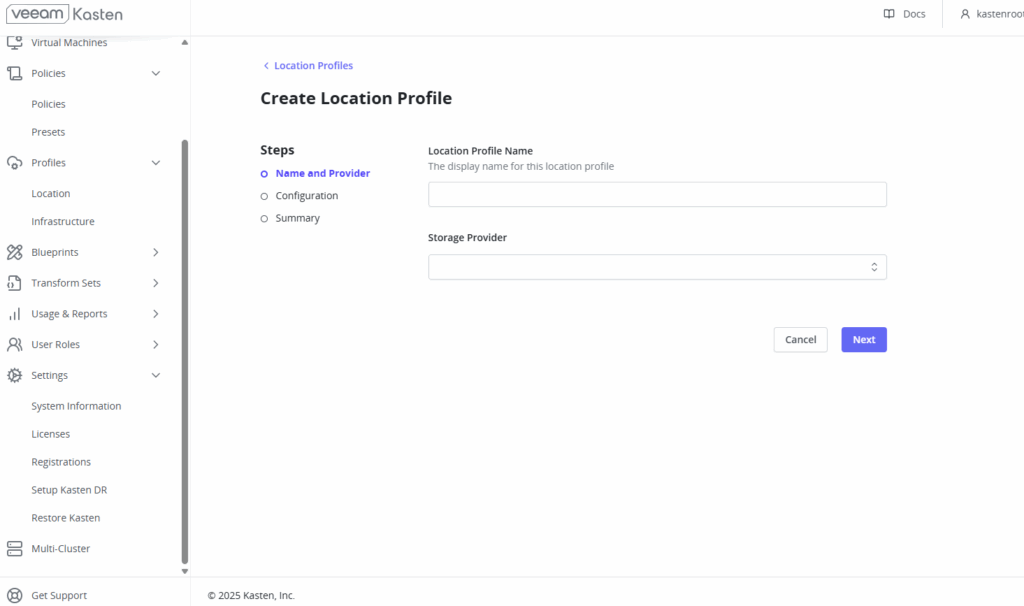
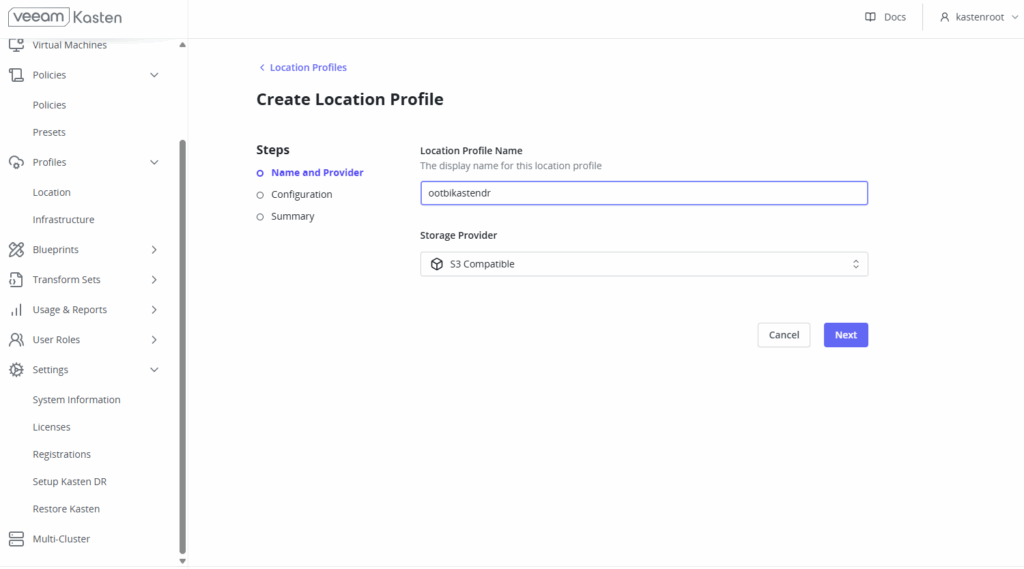
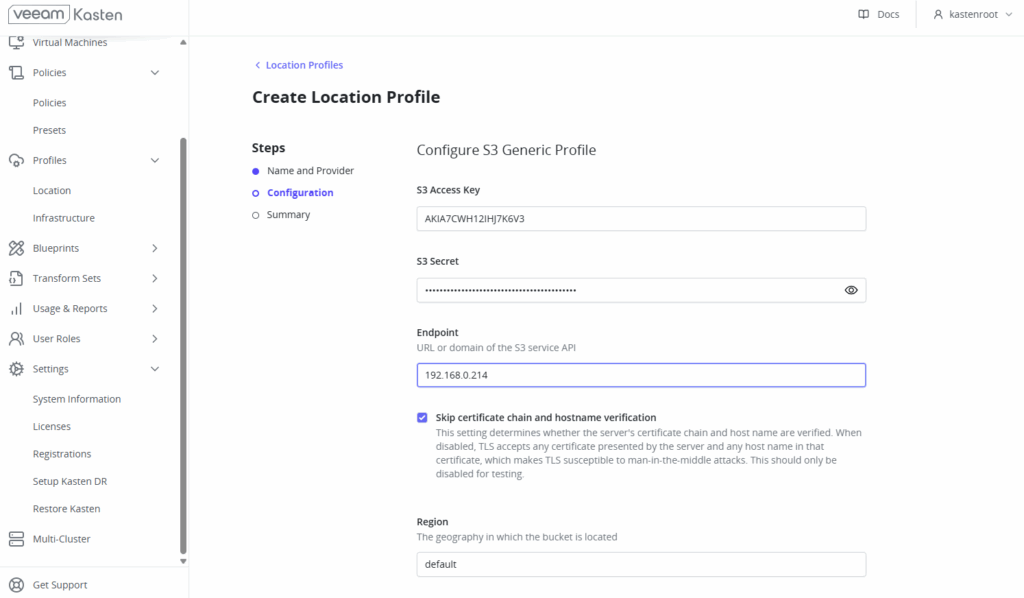
Step 2: Validate bucket immutability settings
Ready to Submit:
Setting Up Kasten Disaster Recovery: New Quick DR Features
Next we will move over to the new Kasten DR setup. Kasten has made a huge effort to streamline the DR process including the restore which in the past had to be done from the command line. To begin setting up your Kasten DR go to settings on the left hand side and “Setup Kasten DR”
KDR Kasten Disaster Recovery Mode
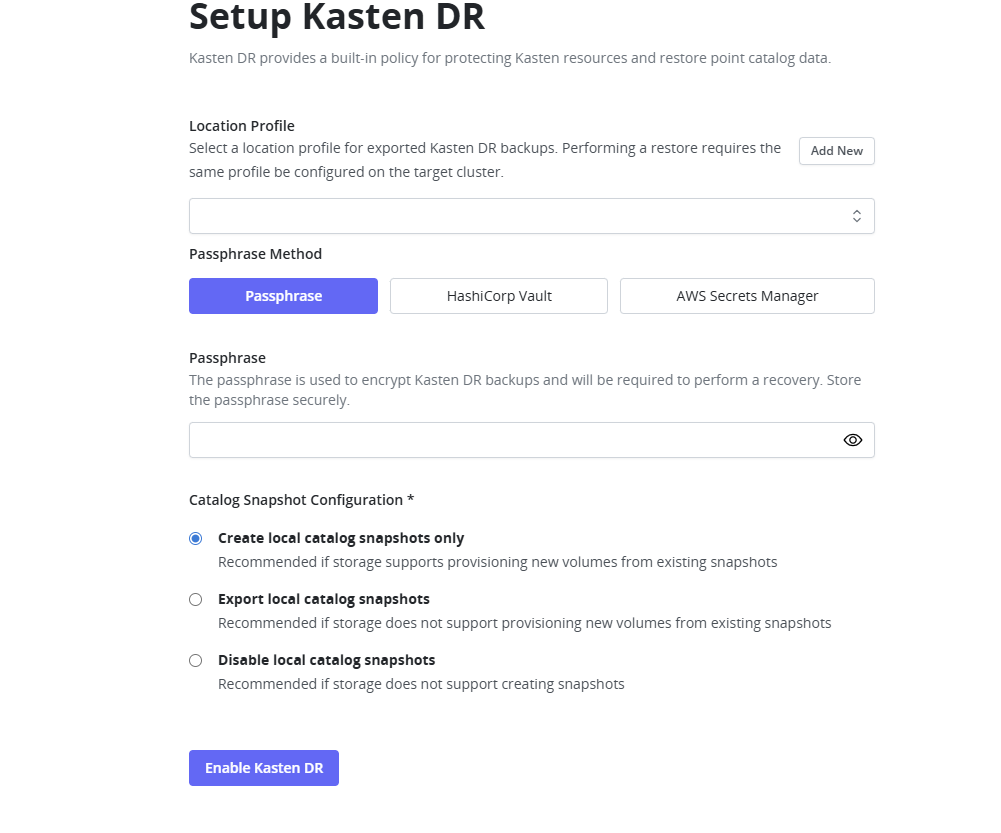
This mode is the manner in which Kasten will protect its internal resources.
You cannot switch modes so must decide which to use when you setup DR. The default mode is Quick DR or Local catalog snapshot mode.
So what are these modes and what exactly is the difference between them?
LEGACY MODE
The Legacy mode has been deprecated, this involved exporting a full copy of the catalog database. You could recover the full catalog with all restore points and action history on any cluster.
Important: Legacy mode is deprecated and should not be used for new deployments.
QUICK DR Local Catalog Snapshot (Default Mode)
This is used when your storage used for the Veeam Kasten PVCs supports both the creation of storage snapshots and the ability to provision a volume using a storage snapshot.
This mode creates a local snapshot of the Catalog PVC. It Incrementally exports minimally required data only from the catalog database.
This mode allows you to recover all the Kasten resources and exported restore points on any cluster. Local restore points and action history only when local snapshot is available (same cluster).
This new mode makes the policies run faster and consume less storage usage.
QUICK DR (Exported Catalog Snapshot)
For storage that can create snapshots but cannot provision volumes from snapshots or in the case where you need maximum resilience.
This mode creates a local snapshot and incremental export of minimal data. It performs an incremental export of catalog PVC snapshot data.
Allows you to do a full recovery on any cluster.
QUICK DR (NO Catalog Snapshot)
If your storage does not support snapshot creation.
This mode incrementally exports minimally required data from the catalog database.
You can only recover Kasten resources and exported restore points.
It will not allow you to recover local restore points and action history.
Passphrase, Hashicorp or AWS Secret?
Before going any further we must choose a passphrase Method. You have a choice between a simple passphrase, leveraging Hashicorp Vault or using AWS Secrets Manager. I will use a simple passphrase. Make sure to save this somewhere as you will need it when you do DR recovery.
Choose the location profile from the drop down and then choose one of the three new quick modes then press Enable Kasten DR
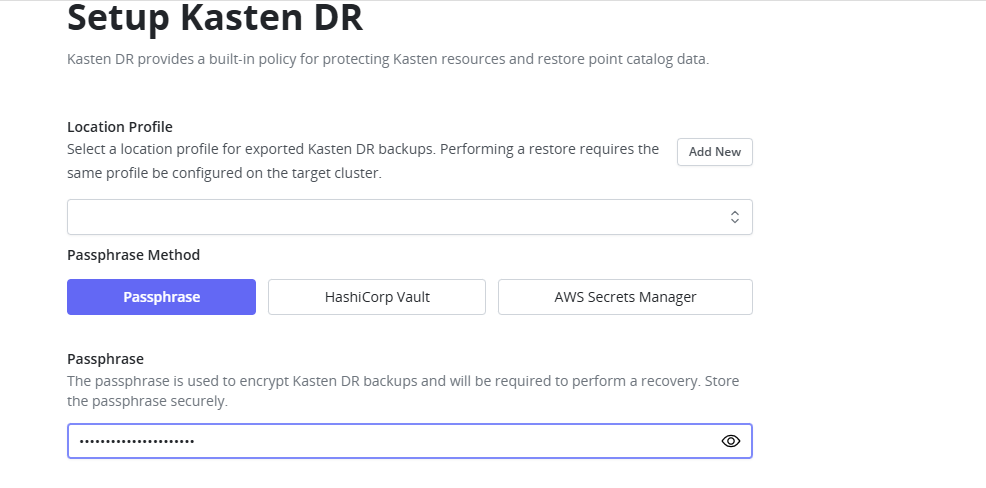
Choosing Location Profile and Mode
Step 3: Choose your DR mode based on storage capabilities
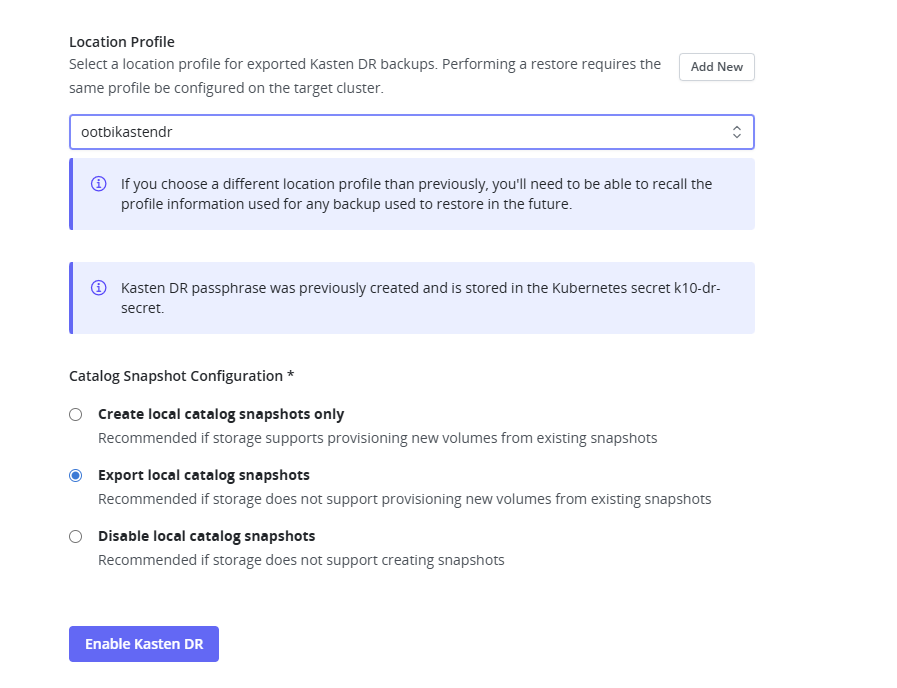
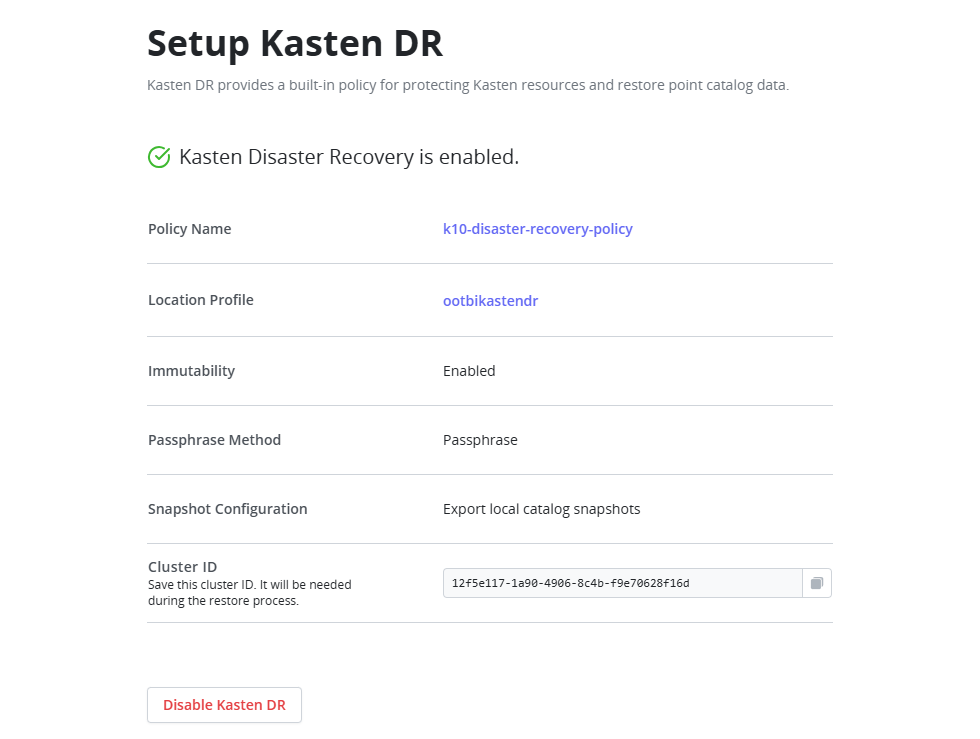
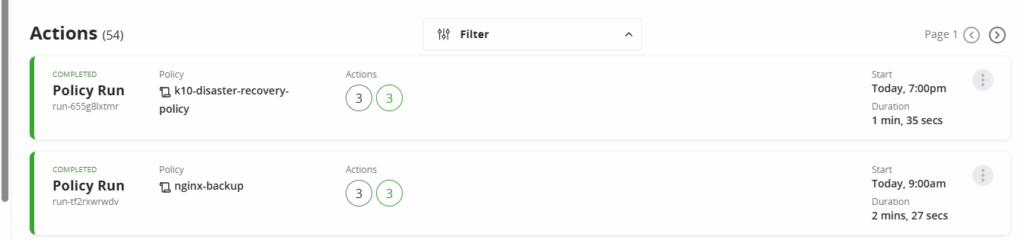
Kasten DR Policies
The DR policy will run every hour by default and can be checked and monitored like any other backup
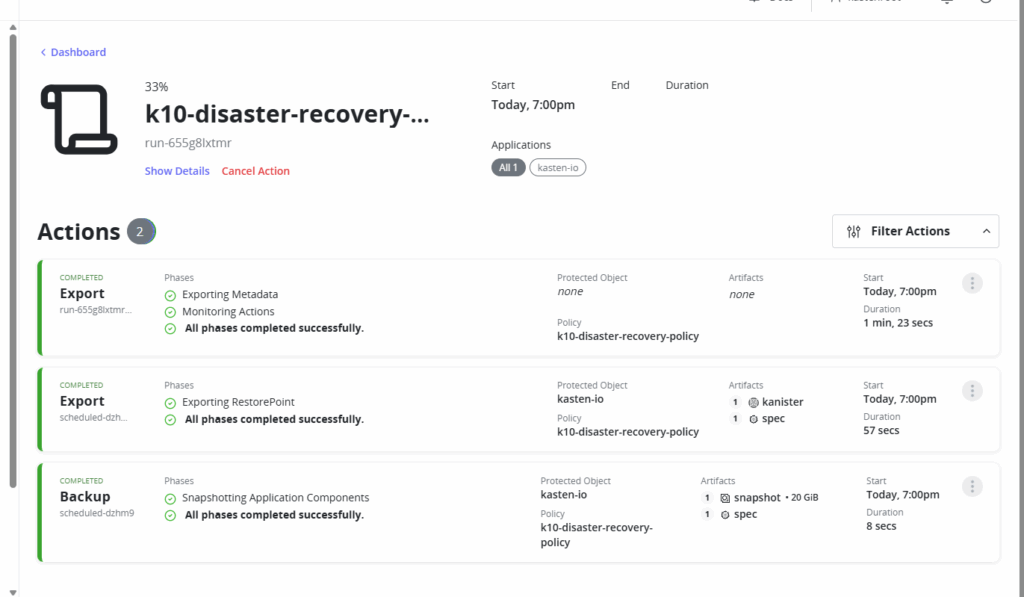
Frequently Asked Questions
Q: Can I switch between DR modes after setup?
A: No, you cannot switch modes once DR is configured. Choose carefully based on your storage capabilities.
Q: How often do DR policies run?
A: By default, DR policies run every hour, but this can be customized.
Q: What happens if I lose my passphrase?
A: You won’t be able to recover your DR backups. Store it securely in a password manager.
.
Conclusion
That’s it! Your Kasten Disaster Recovery is ready to go.
Setting up KDR is easy and quick. It is essential to set up KDR to protect all of your Kubernetes workloads from disasters
So what happens when disaster strikes?
Stay tuned next time when we perform a full DR recovery.
For more details visit the Kasten Documentation site https://docs.kasten.io/latest/operating/dr/#quick-dr-local-catalog-snapshot
